

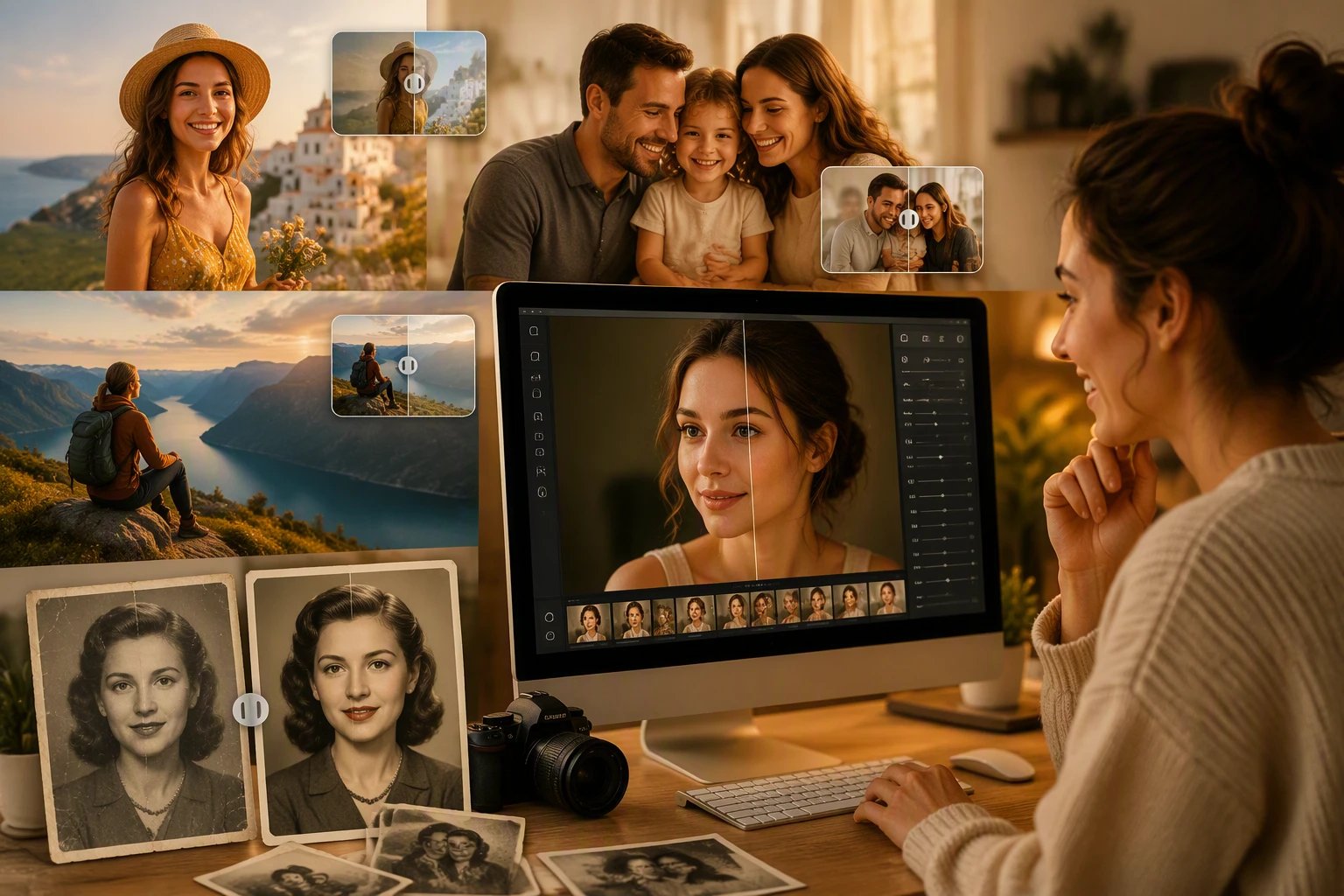
Old photos are fragile. They carry memories that we do not want to lose, but time is rarely kind to paper. Over time, paper cracks, colors fade away, and moisture causes stains that ruin the image. You might think these images are gone forever, but new technology changes that. You can use free online AI photo restoration to bring back the details that time took away. This process uses smart software to identify scratches and fix them automatically. It saves you from having to hire an expensive professional to fix every tiny line by hand.
Sometimes a simple fix is not enough to make a photo look its best. You might want to change the lighting or remove a messy background from an old snapshot to make the subject stand out. Using an AI photo studio online allows you to upgrade the entire look of the image. You can turn a grainy backyard photo into something that looks like it was shot in a professional setting. This makes your old memories ready for social media or high quality printing. It is a simple way to bridge the gap between the past and the present.
Use Case 1: Saving Faded Family History
Many families have a box of old pictures sitting in a basement or an attic. These photos often show grandparents or great-grandparents in their youth. Because they were printed on old paper, the ink starts to disappear. The faces become blurry, and the edges of the photo might start to crumble. This is a perfect scenario for artificial intelligence. The software looks at the remaining pixels and understands where the lines of a face or a suit should be. It fills in the blanks to make the person in the photo look clear again.
When you restore these family photos, you are doing more than just fixing a picture. You are preserving a piece of history for the next generation. A photo that was once too blurry to see can now be printed and framed. This allows younger family members to see exactly what their ancestors looked like. The AI does not just guess randomly. It uses patterns from millions of other images to ensure the eyes, nose, and mouth look natural. This level of detail was impossible for home users just a few years ago.
Use Case 2: Professionalizing Vintage Portraits
If you are a business owner or a professional, you might have old headshots or team photos that look dated. Maybe the lighting is harsh, or the background looks like a basement from the 1970s. You can use these old images for modern branding by putting them through a digital studio process. The AI can separate the person from the background perfectly. Once the person is isolated, you can place them in a clean, modern environment. This gives the photo a second life as a professional asset.
This is also helpful for people who want to use an old photo for a modern resume or a LinkedIn profile. If you have a photo where you look great but the quality is low, AI can upscale the resolution. It adds pixels to make the image sharp enough for high resolution screens. You can also adjust the virtual lighting to remove shadows that make you look tired. The result is a portrait that looks like it was taken with a modern camera, even if the original was shot on film decades ago.
Use Case 3: Creating Tributes for Special Events
Life milestones like weddings, anniversaries, or funerals often require a look back at the past. People want to show slideshows of the guest of honor throughout their life. However, showing a grainy, scratched photo on a large projector screen looks bad. The scratches become huge, and the blurriness makes it hard for guests to see the subject. AI tools allow you to batch process these images to make them look uniform and clean. You can take a photo from 1950 and one from 1990 and make them both look like they belong in the same presentation.
Using these tools for events saves a lot of stress. You do not have to worry about the quality of the scans you get from different relatives. Some people might send a high quality scan, while others might just take a picture of a picture with their phone. The AI can handle both types of files. It smooths out the noise from the phone camera and fixes the physical damage from the original print. This ensures that the tribute looks professional and respectful for everyone watching.
Benefits per Scenario
Each situation where you use AI restoration offers different advantages. The main goal is always to improve quality, but the specific benefits change based on what you need.
| Feature | Family Heritage | Professional Use | Event Tributes |
| Primary Goal | Preserving details | Modernizing look | Visual consistency |
| Key Benefit | Emotional value | Brand building | Audience engagement |
| Speed | Very fast | Instant results | Batch processing |
| Output Type | High res prints | Digital profiles | Large screen display |
For family heritage, the benefit is purely emotional. You get to see a loved one in a way you never thought possible. For professional use, the benefit is practical. You save money on a new photo shoot by using what you already have. For events, the benefit is the overall experience. A clear photo tells a better story than a damaged one.
Practical Workflow for Reviving Images
Restoring an image does not have to be a complicated task. You do not need to be a graphic designer to get great results. The workflow is designed to be simple so that anyone can follow it.
First, you need to get your physical photo into a digital format. The best way to do this is with a flatbed scanner. If you do not have one, you can use a mobile scanning app. Make sure you have plenty of light and avoid glints or reflections on the glossy surface of the photo. A clean scan gives the AI more information to work with, which leads to a better final result.
Second, upload your file to the restoration tool. The software will analyze the image for common problems. It looks for fold lines, dust spots, and silvering. Most tools will give you a preview of the fixed version in just a few seconds. You can usually choose how much restoration you want. Sometimes you might want to keep a little bit of the vintage feel, while other times you want it to look brand new.
Third, move the restored image into a virtual studio environment if you need to change the setting. This is where you can swap out the background or fix the color balance. If the original photo was black and white, many AI tools can add realistic color. They recognize what grass, sky, and skin tones should look like and apply the colors naturally. This adds a whole new layer of realism to the image.
Finally, download the high resolution file. It is always a good idea to save it in a format that does not lose quality, like a PNG or a high quality JPEG. You should keep the original scan and the restored version in separate folders. This way, you always have the original if you want to try a different restoration style later.
Conclusion
Reviving old images is no longer a task reserved for experts with expensive software. Modern AI tools have made it possible for anyone to fix their most precious memories. Whether you are looking to save a piece of family history, update a professional portrait, or create a beautiful tribute for an event, these tools provide a fast and effective solution. They remove the barriers of cost and technical skill that used to stand in the way.
By using these digital tools, you ensure that your history does not fade away with the paper it was printed on. You can turn a box of damaged prints into a digital gallery that will last forever. The process is quick, the results are impressive, and the emotional reward is huge. Start looking through your old photo albums today and see which memories are ready for a new life. You will be surprised at how much detail is hiding under those scratches and dust.
