

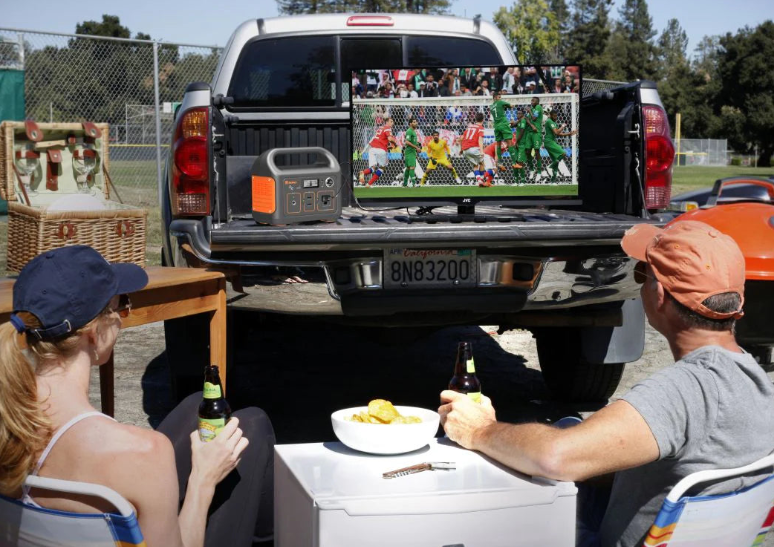
Watching live-stream sports in an outdoor setting brings a different kind of energy. Camping by the woods, picnicking in a quiet park, or holding a tailgate party can all make the match feel more lively and enjoyable.
However, the serene outdoor setting alone does not guarantee a good viewing experience. If you do not plan in advance, things can quickly become frustrating. So, how do you ensure a smooth viewing experience outdoors, and what type of equipment do you need? The truth is that you need proper planning, gadgets, and battery backup for the home to turn a simple outdoor gathering into a true sports live-streaming party.
Let’s see how to prepare to watch live-stream sports outdoors.
Choosing a Suitable Location
- Determine the Venue and Activities
The success of watching outdoor live-stream sports starts with choosing the right spot. The location sets the mood, affects the setup, and usually determines how comfortable or chaotic the day will be. Before you think about tech or gear, decide where you will be watching the game and what type of activities you want to engage in.
There are different locations available in this regard. Backyards are great for small groups and easy setups. Parks give you more space, and they are ideal for family-friendly gatherings. Beaches offer an open view and breeze, though sand and glare can be a challenge.
For activities during live-stream sports, camping, and picnicking, bring a relaxing setting, which is perfect for overnight plans. On the other hand, tailgate parties are organized to bring a different kind of energy to the event and also provide a whole new level of crowd interaction. Each activity has its own atmosphere, and the best choice depends on how you want to enjoy the game.
- Prevent Interference Factors
Once you have determined your spot and activities, think about the weather. Too much wind or unexpected rain can ruin gear and drive people away. Direct sunlight can make screens hard to see and devices hot to handle. If you plan to organize the event in cold evenings, you need blankets, while summer days call for shade and hydration. Check the forecast early and plan for backup shelter or extra layers of clothes if needed.
Lighting also plays a significant role in shaping your outdoor live-stream sports experience. If the match starts before sunset and continues into the evening, make sure you bring soft and adjustable lighting. Bright overhead bulbs can wash out screens, but a few well-placed lights can keep the space usable without affecting the viewing experience.
Preparing for Live-Stream Sports
Once the location is decided, the next step is to make sure your setup can actually stream the sports game without interruptions.
In order to make the live-stream sports viewing experience enjoyable and successful, you need to take care of the following things:
- Broadcasting Equipment
The devices you choose to stream the sports game will play a major role in deciding whether you will enjoy the day or not. For instance, a phone might do the job for one person, but it won’t work well for group viewing. Tablets offer a larger screen and better sound, while laptops provide more control over playback.
If you are expecting a crowd or setting up in an open area, a portable projector with a collapsible screen can completely transform the experience. It brings the game into full view and makes it easier for everyone to stay engaged without huddling around a small display.
- Internet Connection
A reliable internet connection is the lifeline of any live-stream sports event. Relying on public Wi-Fi can be risky, especially in open areas where the signal is either weak or inconsistent.
A mobile hotspot is often a smarter choice. Pair it with a data plan that can handle several hours of video without disturbing you during the match. Make sure the area you are visiting has decent 4G or 5G coverage to avoid last-minute surprises. Keeping a backup internet connection is also a smart choice, which can save your day in case of any emergency.
- Subscription to Streaming Services
Before the match begins, make sure you have access to the platform that will broadcast it. This might sound obvious, but it is one of the most common issues people overlook. If the game you are planning to watch will be publicly available live, you can watch free sports live online. However, it is always recommended that you purchase a subscription to get reliable coverage. If you plan to watch the game on multiple devices, make sure that the service allows streaming on multiple devices or screens at once.
For Canadian viewers, TSN Directv and Sportsnet NOW are go-to options for domestic leagues like the NHL, NBA, MLB, and CFL. Both platforms also hold select international events, including tennis majors and F1 races. DAZN Canada gives access to the Premier League, NFL Game Pass, UEFA competitions, and boxing cards. FuboTV Canada has gained popularity for its coverage of European football, particularly Serie A and La Liga. You will also find some key events available on Amazon Prime Video, depending on regional licensing. For free sports live streams, CBC Gem occasionally offers streams of major international tournaments and national team fixtures.
Backup Power Supply
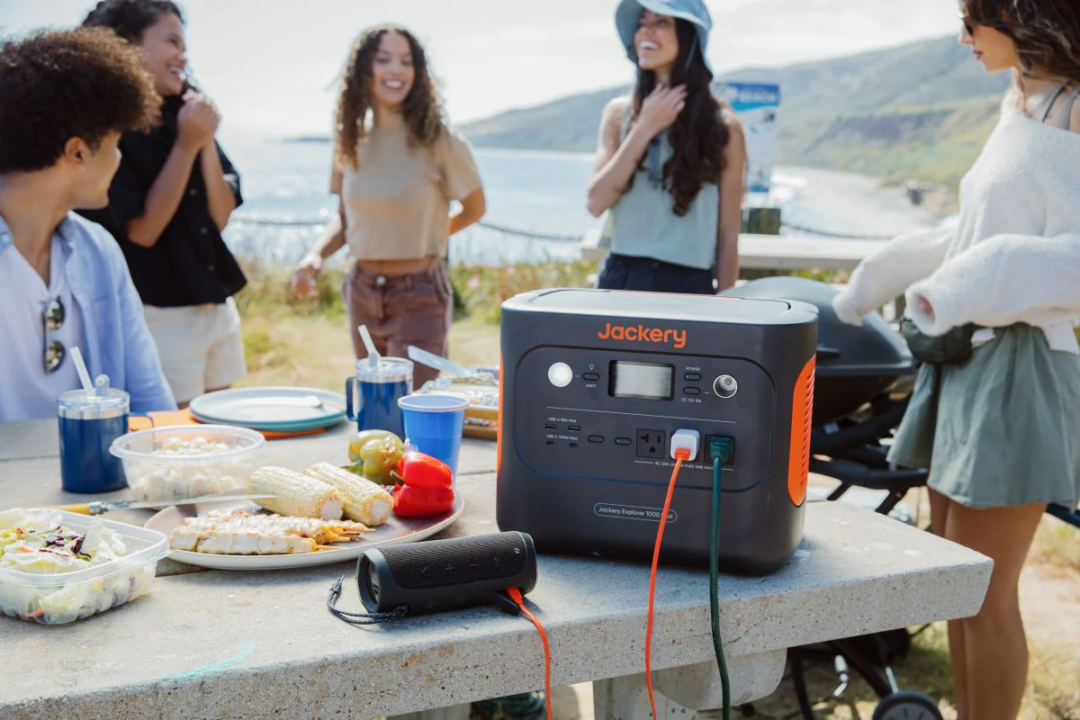
Streaming sports outdoors depends heavily on having a stable and long-lasting power supply. Devices like laptops, projectors, Wi-Fi hotspots, Bluetooth speakers, fans, lights, mini-refrigerators, and many other devices need reliable energy to perform smoothly for several hours.
If the power cuts out, the entire live-stream sports experience falls apart. That is why having a reliable generator and solar power becomes essential during live-stream sports gatherings. Jackery brings portable solar generators designed to support live sports streaming needs. Here are two recommended options:
- Jackery Solar Generator 1000 v2
For small to mid-sized gatherings like backyard viewings, day trips to the park, or a relaxed picnic by the lake, the Jackery Solar Generator 1000 v2 is the recommended choice. With a 1070Wh capacity and a 1500W output, it has no trouble powering the core devices involved in streaming a live match. This includes a mid-sized projector, external speakers, Wi-Fi routers, phones, and tablets, all running at the same time.
Its compact size and built-in handle make it easy to carry to remote spots, and the unit supports solar charging through solar panels. The Jackery Solar Generator 1000 v2 can fully charge via four Jackery SolarSaga 100W solar panels in approximately 4 hours under good sunlight. You can also top it up at home in 1.6 hours using a wall outlet.
The system runs quietly, which means it won’t drown out the sound of the game or disrupt the social atmosphere around it.
- Jackery Solar Generator 2000 v2
If you are attending larger live sports watch parties such as tailgate events, multi-device installations, or streaming in remote areas for extended hours, the Jackery Solar Generator 2000 v2 is the more capable option. With a capacity of 2042Wh and an output of 2200W, it can easily support a full-scale live-stream sports viewing environment. This means that you can easily run large projectors, LED lighting, high-powered sound systems, mobile hotspots, laptops, and even small kitchen appliances simultaneously.
If you need to recharge the solar generator outdoors, solar charging using four Jackery SolarSaga 100W solar panels takes about 7.5 hours. For quicker turnarounds, wall charging completes a full cycle in 1.75 hours, and the emergency supercharge feature reduces that time further to just 1.7 hours.
Since both of these solar generators use LiFePO4 batteries, they are safe and durable, easily lasting for more than a decade. Similarly, these solar generators come with embedded safety features that will protect your equipment against the most common electricity hazards. On top of that, both these solar generators can be controlled with the Jackery app, which makes their handling super easy.
Ensuring a Comfortable Viewing Experience
Once the technicalities of the setup are sorted, start focusing on creating a comfortable space. Here are the things you need to take care of at this stage:
- Seating or Cushions
Seating arrangements should be handled with extreme caution as it is one single thing that can make or break the whole experience. No one wants to stand or sit on hard ground for the duration of an entire match.
Folding chairs with armrests, low-profile camping seats, or cushioned picnic mats can all help create a relaxed environment. For extended events, providing back support and enough spacing between seats can make a noticeable difference in how long people stay comfortable.
- Snacks and Beverages
Having food and drinks on hand helps keep everyone engaged. Choose snacks that are easier to manage. This includes sandwiches, chips, fresh fruit slices, or packaged snacks that work well outdoors.
Beverages should stay cold, so consider using a cooler with ice packs or a mini-refrigerator. It is also a smart choice to stock extra water, especially on hot days, to help keep people hydrated without needing to interrupt the event.
- Sound System
Outdoor noise can drown out audio from electronic devices, which is why a dedicated speaker should be part of your setup. Compact Bluetooth speakers with decent volume output are usually enough for small gatherings. If you are setting up in a busier area or expect some background noise, go with a model designed for outdoor use with weather resistance and deeper sound. A solid audio setup adds to the intensity of the match and keeps people immersed.
- Games
Not every moment of a live-stream sport holds attention, and some people might get bored with the proceedings of the game. Bringing a few light games helps keep the energy up between plays or during halftime. A frisbee, a simple ball, a deck of cards, or even a trivia game themed around sports can keep the atmosphere fun without distracting too much from the main event.
- Fan
Hot afternoons and stuffy weather can wear people out faster than expected. A portable fan can do a lot to keep the space breathable and pleasant. Make sure the fan runs quietly so it doesn’t interfere with the sound of the live-stream sports.
Outdoor Protection
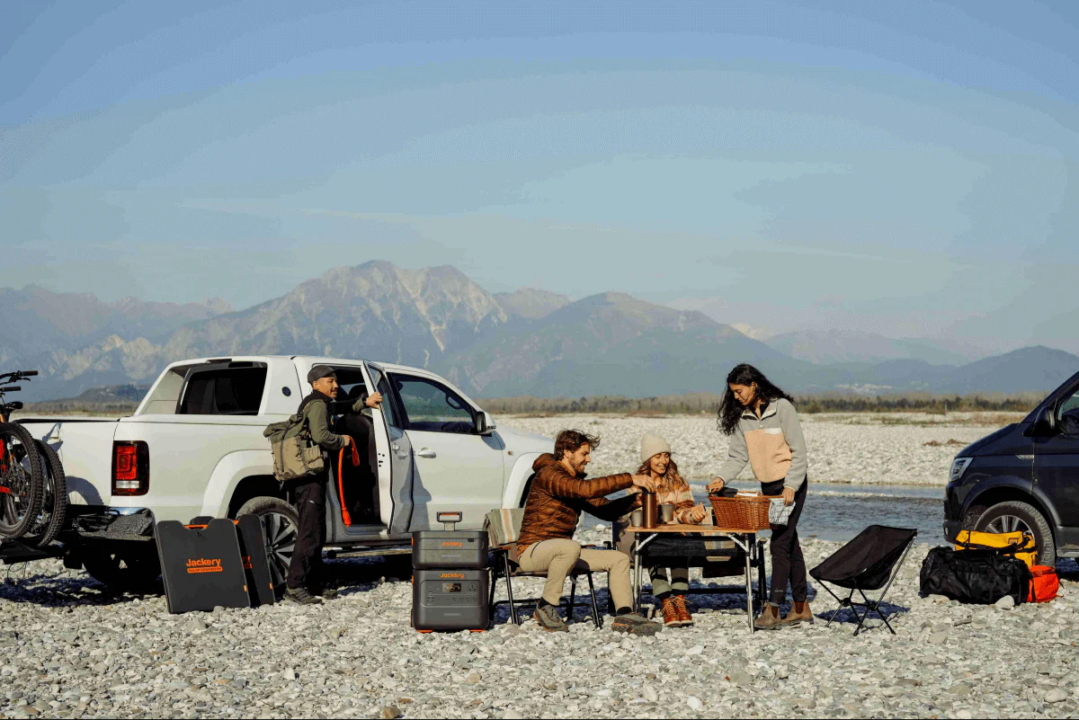
In order to keep the whole gathering safe from harsh outdoor elements, do not forget to carry the following items:
- Mosquito Repellent and Sun Protection
If you are hosting the event in a park, near water, or at a campsite, mosquitoes and other insects can become a major distraction. A few bites might seem minor at first, but they can quickly become a source of constant irritation. Use a reliable mosquito repellent to keep the space comfortable. Placing mosquito-repellent incense around the viewing area also helps reduce insect presence without overpowering the atmosphere.
Sun protection is just as important. Sitting outside for a few hours without shade can lead to sunburn, fatigue, or dehydration, especially in hot summer. Bring along sunscreen with adequate SPF and apply it before the event begins. Consider providing extra hats, a shade canopy, or umbrellas to protect people who may not have brought their own protection.
- First Aid Supplies
Accidents can happen even during relaxed outdoor gatherings. Someone might trip, get a cut, or experience a minor allergic reaction. Having a basic first aid kit nearby will help you avert any unfortunate situation. Include items like adhesive bandages, antiseptic wipes, pain relievers, allergy tablets, and a small ice pack in the first aid kit. Make sure the kit is easy to reach, and let others know where you are placing it, just in case.
Wrapping-Up
Live-stream sports outdoors require careful planning and dependable equipment. From choosing the right location to maintaining power throughout the event, everything has to be planned perfectly. With reliable solutions like the Jackery Solar Generator 1000 v2 and the Jackery Solar Generator 2000 v2, you can keep your setup running smoothly and focus fully on the game. Visit the Jackery website to choose one now!
